
5 AI Avatar Prompt Templates for Product Images
· AI Avatars · 3 min read · Reels Farm Team · Updated
Use five product-focused AI avatar prompts for desk scenes, in-hand shots, explainers, travel contexts, and comparison layouts.
A product-focused AI avatar prompt should describe the character's role, the product's placement, the scene, and the final crop. A portrait prompt alone leaves those commercial requirements unspecified.
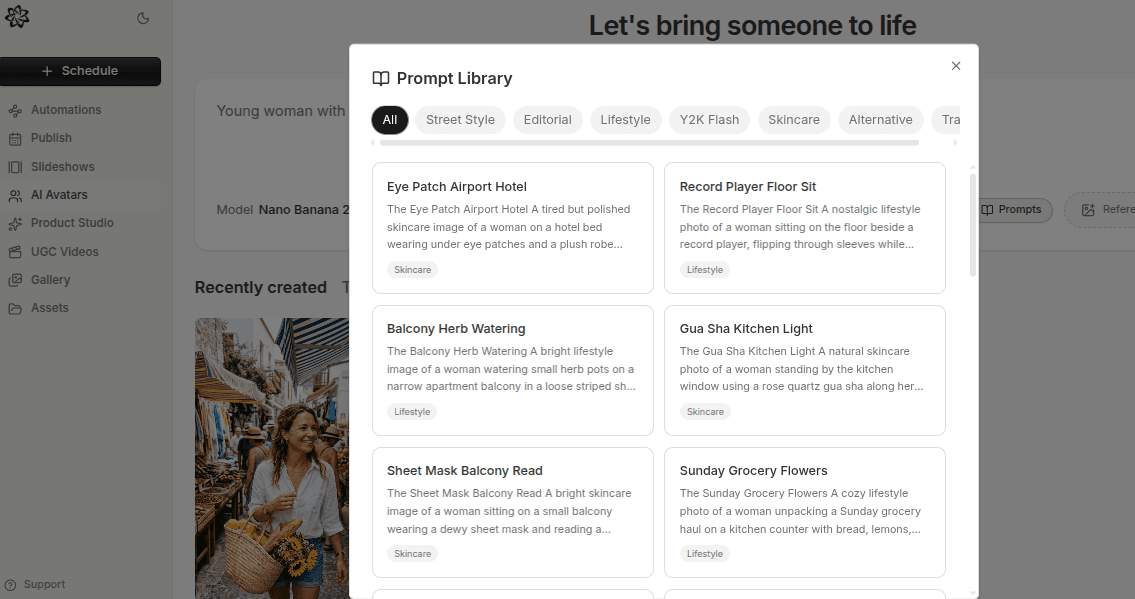
The five templates below create illustrative image briefs. Replace the bracketed details with your own product facts and references. They do not guarantee preservation or create real testimonials.
1. Product Beside the Presenter
Prompt: “Show [character reference] beside a desk with one [product reference] fully visible on the surface. Preserve the product shape, color, and label layout. Use soft window light and a waist-up composition. Leave clear space for a headline. Do not add extra packages or written claims.”
Use this when the product needs context but not hand interaction. Inspect scale and shadows so the package sits plausibly on the desk.
2. A Natural In-Hand Product Shot
Prompt: “Show [character reference] holding one [product reference] at chest height. Keep the front label visible and preserve the package proportions. Use a relaxed pose in [specific setting]. Keep the full hand and product inside the frame.”
Use this to communicate scale. Check fingers, grip, label obstruction, and whether the item changes shape. A real product photograph may be more suitable if the generated interaction repeatedly fails.
3. A Feature Explanation Scene
Prompt: “Create a vertical image of [character reference] beside [real screenshot or product reference]. Keep the referenced material readable and accurate. Use a simple [setting] and clear space for one short explanation. Do not invent interface elements or testimonials.”
Use actual screenshots when the feature must be exact. If the workflow cannot preserve them reliably, place the screenshot through a controlled composition step rather than generating a replacement screen.
4. A Product Use Context
Prompt: “Place [product reference] beside [character reference] in [specific permitted use scene]. Preserve the product design and show one item. Use believable scale and object contact. Leave room for a short use-case caption.”
For example, a bottle beside a travel bag can illustrate packing. It cannot establish a leak-resistance claim. Keep visual context separate from performance evidence.
5. A Comparison-Friendly Composition
Prompt: “Create a clean vertical scene with [character reference] in the left half and [product reference] clearly visible below. Leave an uncluttered area on the right for a comparison list added later. Preserve identity and product details. Do not generate numbers or claims.”
Use a controlled text layer to add verified comparison details. This keeps exact wording outside the generative image task.
Adapt the Templates to Your Workflow
Not every application supports several references or the same composition controls. Use the supported route and name what each source should contribute.
For a model-specific process, read product ad images with GPT Image 2.5. For a broader compositing process, use ecommerce ad images with AI avatars.
Review Each Output Against the Brief
Check the character, product, hands, framing, and clear space for text. Compare with the original references. Save the template and approved output together.
Change one variable for the next version. That makes it easier to understand whether a different scene or pose improves the image's usefulness.
FAQ
Does a longer avatar prompt always work better?
No. Use clear instructions for the required details. Remove contradictions and unrelated style terms before adding more text.
Can I reuse one prompt for several products?
Reuse the structure, but replace product properties, use cases, and review criteria. Different package shapes and functions need different instructions.
Frequently Asked Questions
Does a longer avatar prompt always work better?
No. Use clear instructions for the required details. Remove contradictions and unrelated style terms before adding more text.
Can I reuse one prompt for several products?
Reuse the structure, but replace product properties, use cases, and review criteria. Different package shapes and functions need different instructions.
Sources
Related tools
If you want to turn this topic into something usable right now, start with these tools.
Content Angle Generator
Generate content angles you can turn into hooks, captions, slideshows, or scripts.
Instagram Caption Generator
Create Instagram caption drafts for stories, lessons, launch posts, and offers.
CTA Generator
Create call-to-action lines for captions, carousels, videos, and offer-led posts.
Free AI Prompt Generator
Turn a rough idea into a clearer AI image or slideshow prompt. Add the subject, audience, goal, and direction, then copy the finished prompt.
Related reading
- How to Create AI Avatars for Ads Without Hiring Models
Better AI avatar ads come from stronger role definition, better references, and saving the characters that actually fit the brand.
- How to Use Reference Images to Get Better AI Avatars
Reference images work best when they narrow the output toward a useful identity or style instead of adding more randomness to the generation.
- 7 GPT Image 2.5 Editing Mistakes and Their Fixes
GPT Image 2.5 reference edits can change details you wanted to keep. A useful edit brief names both the requested change and the protected parts of the image.
Related comparisons
- Best AI UGC Video Tools for Short-Form Content
A buying guide to AI UGC video tools, with ReelsFarm positioned for complete short-form content workflows.
- Best TikTok Automation Tools for Content Teams
A guide to TikTok automation tools for teams that need content creation, scheduling, publishing, and creative control.
- Best AI Slideshow Makers for TikTok
A guide to AI slideshow makers for TikTok, with ReelsFarm positioned for repeatable slideshow automation.
- Best AI UGC Tools for Ecommerce Brands
A source-checked guide to six AI UGC tools for ecommerce product content and publishing workflows.
Drive traffic to what matters on autopilot.
Create standout posts, line up your calendar, and publish consistently without juggling a dozen tools.