

To automate TikTok posting, connect the correct account, prepare a content batch, review each post, and schedule it. Then check delivery results. Recurring content generation is a separate decision from scheduling finished media.
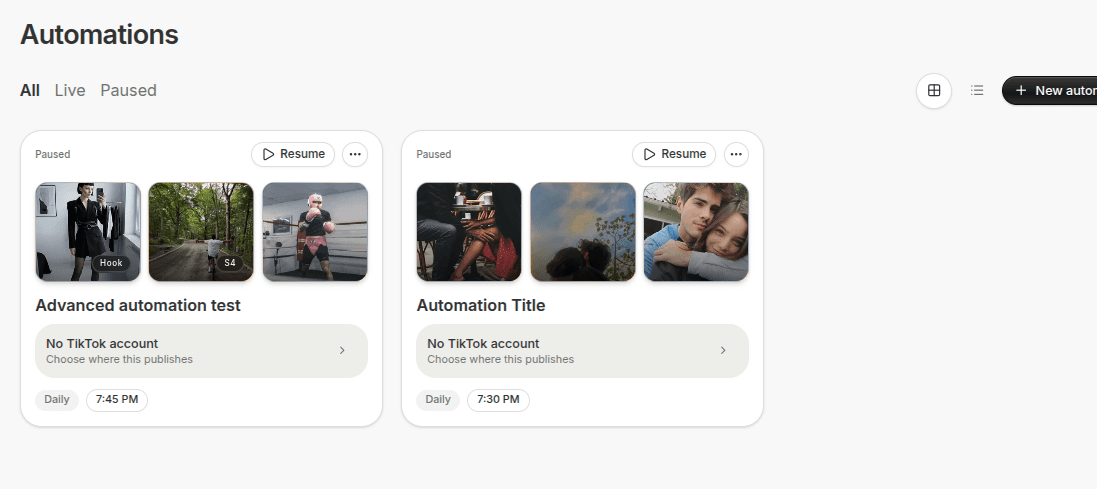
This guide starts with a reviewed batch. It then explains when a recurring slideshow workflow makes sense. You need a TikTok account you control, media you can publish, captions, and a tool that supports the intended post type.
1. Decide What You Want to Automate
To compare products, read AI social media automation tools that create and publish. For Instagram and Facebook workflows, see Meta Business Suite alternatives for AI content.
Choose one starting task:
- Schedule finished videos or slideshows.
- Generate variations from an approved content brief.
- Generate and publish recurring slideshow content.
Start with scheduling if your main problem is remembering to post. Start with generation if creating the next asset takes most of your time. Keep experimental topics outside a recurring process until you have reviewed sample outputs.
2. Connect and Check the Destination Account
Connect TikTok through the tool's supported account flow. Check the account name and profile image. Confirm that the tool can publish your intended media type with your account's available settings.
For teams, record who owns the account and who reviews content. If two people schedule into the same account, use one calendar to avoid duplicate posts.
3. Build a Small Content Batch
Prepare three posts around one useful topic. For example, a planning app could cover a missed deadline, a weekly planning method, and a reminder setup.
For each post, save:
- The finished media.
- The opening message and caption.
- The destination account.
- The date, time, and time zone.
- Any required publication settings or disclosures.
Review the first frame and the ending together. The post must deliver what its opening promises.
4. Review Before Scheduling
Check text readability on a phone. Watch videos with and without sound. Inspect slide order, product details, and captions. Apply the platform's current disclosure rules where relevant; TikTok explains its AI-generated content labels.
In ReelsFarm, reviewed assets can enter the publishing calendar. If you use an agent connection, check its mode. Review mode and Autopilot have different execution rules.
5. Schedule and Verify the Times
Schedule each approved asset to the selected account. Check the stored time in the calendar, especially when the account's audience and your team use different time zones.
A useful first batch might use Monday, Wednesday, and Friday at times selected from your own account data. These are example intervals, not a universal posting schedule.
6. Check Delivery Before Adding More Posts
After the first scheduled slot, inspect the result. If a post failed, read the error before retrying. Check whether the original attempt published so you do not create a duplicate.
Connection errors need account repair. Unsupported media needs a corrected export. An accepted schedule needs a completion check, not another submission.
7. Add Recurring Generation Only When It Helps
For repeated image-led content, TikTok slideshow automation can combine content rules and time slots. Inspect its publish settings before enabling it. An automatically generated post may publish according to those rules; do not assume every automation waits for a manual review.
Define the topic, slide structure, image source, product context, and exclusions. Test the same brief manually first. Our AI slideshow prompt rules show how to make those inputs explicit.
FAQ
Can I automate TikTok posts without generating content?
Yes. Schedule media you have already created and reviewed. You do not need recurring generation to automate posting times.
What should I do when an automated post fails?
Inspect the delivery result, confirm whether anything published, and correct the reported problem before retrying. Reconnecting an account does not fix an invalid media file.
Your First Automation Test
Schedule three reviewed posts for one account. Verify the first delivery before expanding the batch. Keep a record of the asset, caption, account, and scheduled time for every post.
Frequently Asked Questions
Can I automate TikTok posts without generating content?
Yes. Schedule media you have already created and reviewed. You do not need recurring generation to automate posting times.
What should I do when an automated post fails?
Inspect the delivery result, confirm whether anything published, and correct the reported problem before retrying. Reconnecting an account does not fix an invalid media file.
Sources
Related tools
If you want to turn this topic into something usable right now, start with these tools.
Content Angle Generator
Generate content angles you can turn into hooks, captions, slideshows, or scripts.
Free Caption Formatter
Format TikTok and Instagram captions with cleaner spacing and line breaks. Keep your original wording, review the result, and copy it for posting.
Instagram Caption Generator
Create Instagram caption drafts for stories, lessons, launch posts, and offers.
Related reading
- TikTok Content Automation for Brands: What to Automate and What Not To
Automation is strongest when it handles repetition. Brand taste, strategic tests, and final judgment still need a tighter human hand.
- How to Build a TikTok Slideshow Workflow That Actually Scales
Scale usually comes from standardizing inputs and organizing the workflow, not from pushing more content through a messy system.
- How to Automate Short-Form Content Creation
To automate short-form content creation, turn a stable production task into a repeatable workflow. Define the inputs, expected output, approval criteria, and delivery checks before adding recurring execution.
- Best AI Social Media Automation Tools (2026)
“Automation” can mean drafting a caption, filling a queue, or publishing without review. These tools cover different levels of social media work.
- Best Meta Business Suite Alternatives for AI Content Creators (2026)
Meta Business Suite can schedule Facebook and Instagram content. These alternatives add other channels, AI creation, or a wider publishing workflow.
Related comparisons
- Best AI UGC Video Tools for Short-Form Content
A buying guide to AI UGC video tools, with ReelsFarm positioned for complete short-form content workflows.
- Best TikTok Automation Tools for Content Teams
A guide to TikTok automation tools for teams that need content creation, scheduling, publishing, and creative control.
- Best AI Slideshow Makers for TikTok
A guide to AI slideshow makers for TikTok, with ReelsFarm positioned for repeatable slideshow automation.
- Best AI UGC Tools for Ecommerce Brands
A source-checked guide to six AI UGC tools for ecommerce product content and publishing workflows.
Drive traffic to what matters on autopilot.
Create standout posts, line up your calendar, and publish consistently without juggling a dozen tools.