
How to Build a TikTok Slideshow Workflow That Actually Scales
· Workflow · 8 min read · Reels Farm Team · Updated
A slideshow workflow scales when the inputs are reusable, the edits are structured, and finished posts move into the calendar without friction.
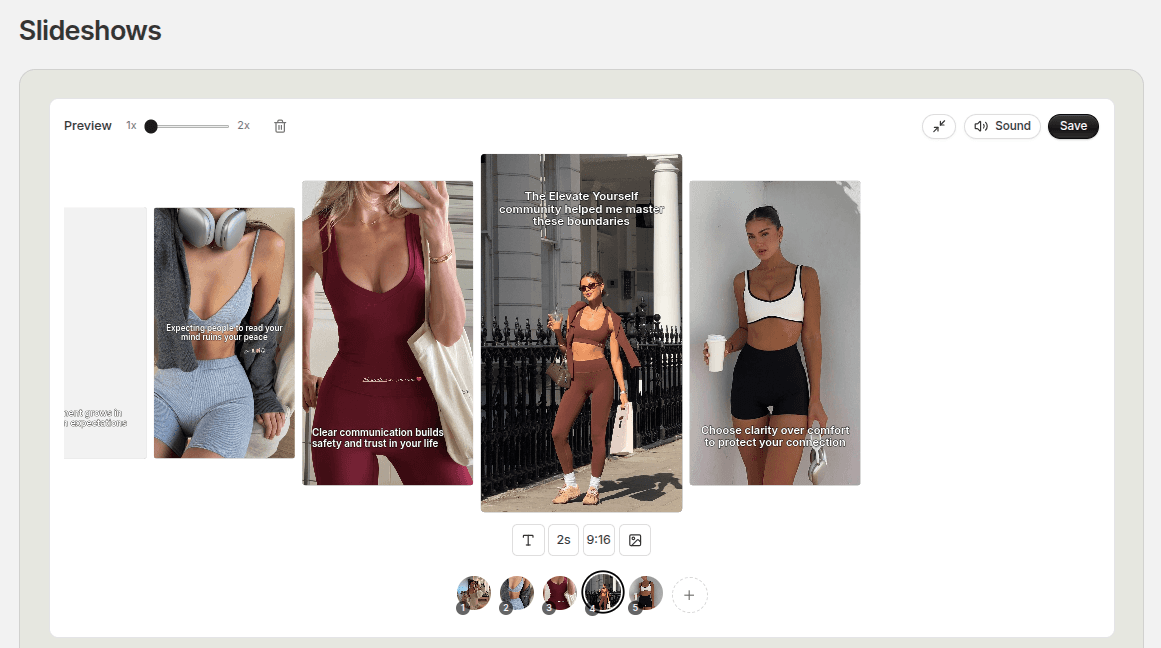
Many teams can make one good TikTok slideshow.
That is not the same as having a workflow that scales.
A scalable workflow is one that can produce good work repeatedly without depending on memory, improvisation, or last-minute rescue effort.
Quick Answer
A TikTok slideshow workflow starts scaling once four things are true:
- the inputs are standardized
- the assets are reusable
- editing happens in batches
- finished posts move straight into scheduling
Without those four, the work stays heavier than it needs to be.
Step 1: Standardize the Inputs
Every strong workflow starts with cleaner inputs.
That includes:
- prompt direction
- slide structure
- hook types
- product context
- visual references
If every new slideshow starts with a completely blank process, the system will always be harder to scale. Standardized inputs do not make the content identical. They make the work easier to repeat.
Step 2: Build Reusable Asset Pools
This is where scale gets practical.
Products, characters, demos, sounds, reference visuals, and finished drafts should be easy to find and easy to reuse. The clearer the asset system is, the faster the production loop becomes.
The asset library is not just storage. It is part of the production engine.
Step 3: Edit in Batches
Batching is one of the easiest ways to lower production drag.
That means:
- generate several drafts
- review them together
- tighten the strongest ones first
- export them in a focused session
Batch editing makes it easier to spot repeated mistakes and maintain consistency across the set.
Step 4: Move Finished Posts Into Scheduling Immediately
A workflow is not done when the slideshow is exported.
It is done when the slideshow is scheduled.
This step matters because many teams leave finished content sitting in folders or galleries for too long. Once that happens, scheduling becomes another separate job and the queue starts feeling fragmented. TikTok slideshow automation can connect recurring generation and scheduling after the format is stable.
Finished work should move into the publish calendar while the context is still fresh.
Step 5: Review the System, Not Just the Posts
A scalable workflow needs system review too.
That means checking:
- which prompts are producing weaker drafts
- where editing is slowing down
- whether the asset system still makes sense
- whether the calendar rhythm is holding up
The workflow gets stronger when those points are reviewed regularly instead of only reacting when quality drops.
Common Mistakes
Trying to scale before the base process is clear
That usually multiplies confusion instead of output.
Weak naming and asset organization
Even a good content system breaks down if nothing is easy to find.
Treating export as the finish line
Scheduling is part of the workflow, not an extra step.
FAQ
What is the first part of the workflow to standardize?
Usually prompts, slide structure, and asset organization.
Can a workflow scale without automation?
Yes. Better workflow design often comes before automation.
When should automation enter the process?
After the repeatable parts of the system are already stable.
Final Take
Scale comes from structure.
The teams that scale slideshow production best are usually the ones that reduce randomness first. Once the inputs, assets, edits, and scheduling steps are organized, output grows much more naturally.
Related tools
If you want to turn this topic into something usable right now, start with these tools.
Slideshow Outline Generator
Create carousel and slideshow outlines for educational, promotional, and story-led posts.
TikTok Hook Generator
Generate TikTok hook ideas for product demos, lessons, and founder-led content.
Instagram Caption Generator
Create Instagram caption drafts for stories, lessons, launch posts, and offers.
Related reading
- How to Automate TikTok Posting: A Step-by-Step Workflow
To automate TikTok posting, connect the correct account, prepare a content batch, review each post, and schedule it. Then check delivery results. Recurring content generation is a separate decision from scheduling finished media.
- How to Go From Idea to Scheduled TikTok Post Faster
The fastest workflow is not the one with the fewest steps. It is the one where the handoffs between those steps create the least friction.
- 8 GPT Image 2.5 Workflows for Social Media Content
Use GPT Image 2.5 as part of a repeatable content system, not as a one-off image generator, with eight workflows for common social jobs.
Related comparisons
- Best AI UGC Video Tools for Short-Form Content
A buying guide to AI UGC video tools, with ReelsFarm positioned for complete short-form content workflows.
- Best TikTok Automation Tools for Content Teams
A guide to TikTok automation tools for teams that need content creation, scheduling, publishing, and creative control.
- Best AI Slideshow Makers for TikTok
A guide to AI slideshow makers for TikTok, with ReelsFarm positioned for repeatable slideshow automation.
- Best AI UGC Tools for Ecommerce Brands
A source-checked guide to six AI UGC tools for ecommerce product content and publishing workflows.
Drive traffic to what matters on autopilot.
Create standout posts, line up your calendar, and publish consistently without juggling a dozen tools.