
How to Generate Product Marketing Images for Launches and Offers
· Product Studio · 8 min read · Reels Farm Team
Campaign windows rarely feel as comfortable as the team wants. Product marketing images often need to be ready fast, but that speed only helps if the final creative still makes the offer feel clear and worth acting on.
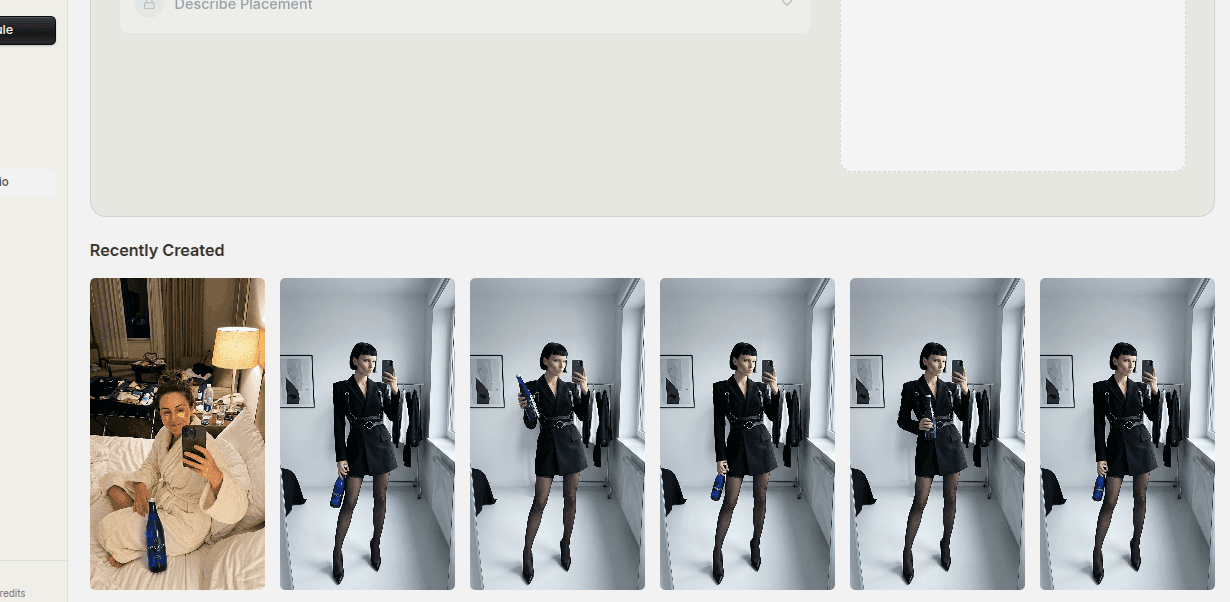
Launch creative has a timing problem.
The offer window is moving, the campaign needs assets, and the creative team often has less time than the calendar suggests. That pressure is why product marketing image workflows need to be structured, not improvised.
Quick Answer
If you want better product marketing images for launches and offers:
- clarify the offer before building the image
- match the scene and composition to the campaign angle
- generate a small set of focused variations
- prepare the outputs for the actual publishing surfaces they need to support
The image should make the promotion easier to understand, not just make the product look attractive.
Step 1: Clarify the Offer First
Before generating anything, answer the basic campaign question.
What kind of launch or promotion is this?
- new product launch
- bundle
- seasonal promotion
- limited-time offer
- evergreen campaign push
The visual logic changes depending on the answer. A launch often benefits from clean reveal energy. A discount campaign may need more urgency. A bundle needs clearer product grouping. A seasonal push may need environmental cues.
When the offer is vague, the image usually becomes generic.
Step 2: Match the Image to the Promotion
The strongest product marketing images reinforce the campaign angle instead of sitting beside it.
That can happen through:
- scene choice
- color and mood
- framing
- product arrangement
- use of avatars or human context
The key is relevance.
If the campaign is about simplicity, the creative should not feel visually crowded. If it is about a premium launch, the image should not feel casual and inconsistent. If it is about a quick promo, the asset should still make the product and the offer relationship clear.
Step 3: Decide How Visible the Offer Should Be
Not every image needs to carry text inside the creative itself, but the offer still needs to be visually supported somehow.
Sometimes that support comes from:
- grouped products
- a clear hero shot
- human context that frames the use case
- scene choices that align with the campaign
The important thing is that the promotion is not floating above an unrelated product image later in the funnel. The asset should feel like it belongs to that campaign window.
Step 4: Generate a Small Set of Variations
A launch rarely benefits from one single image.
A stronger workflow usually creates a focused set:
- one hero image
- one alternate composition
- one variation with stronger product context
- one variation better suited for paid social or supporting placements
This gives the campaign more flexibility without turning the asset set into noise.
The variation should be purposeful. Each image should serve a different use or a different interpretation of the same campaign angle.
Step 5: Prepare the Images for Real Use
An image that looks strong in generation still needs to work in publishing.
That means thinking about:
- crop
- platform use
- whether it fits paid, organic, or landing page support
- whether it can connect with the rest of the campaign system
This is where a lot of launch creative loses value. The image exists, but it was never prepared with the actual publishing surface in mind.
Step 6: Keep the Winners for the Next Campaign Cycle
Launch work gets more efficient when the team preserves what actually worked:
- scenes that supported the offer well
- product arrangements that looked strong
- avatar and product pairings that felt brand-right
- visual directions that were worth repeating
That turns launch pressure into reusable creative knowledge later.
Common Mistakes
Generating before the offer is clear
This usually creates attractive but unfocused assets.
Building generic hero images for specific promotions
The asset should reinforce the campaign, not sit outside it.
Making too many weak variations
A smaller, more focused set is usually better.
Forgetting where the images will actually be used
Publishing context matters.
FAQ
Do launch images need text baked into the creative?
Not always. But the image should still visually support the campaign angle clearly enough to feel relevant.
Should launches use avatars or product-only visuals?
Either can work. The better choice depends on the product, the brand, and what kind of trust or attention the campaign needs.
How many variations should a product launch have?
Enough to support the core publishing surfaces without creating redundant clutter.
Final Take
Product marketing images for launches and offers work best when the offer is defined early and the creative is built around it deliberately.
Clarify the campaign angle, match the scene to the promotion, generate a focused set of useful assets, and prepare them for the places they actually need to perform. That is how launch creative gets faster without getting sloppier.
Related tools
If you want to turn this topic into something usable right now, start with these tools.
Content Angle Generator
Generate content angles you can turn into hooks, captions, slideshows, or scripts.
Instagram Caption Generator
Create Instagram caption drafts for stories, lessons, launch posts, and offers.
CTA Generator
Create call-to-action lines for captions, carousels, videos, and offer-led posts.
Related reading
- How to Make Product-Led Social Images Without a Studio Shoot
Product-led social images work when the product stays central and the creative direction supports the offer instead of distracting from it.
- Why Pinterest AI Images Work So Well for Product Discovery
Pinterest AI images work for product discovery because they turn products into saveable ideas, not just isolated catalog assets.
- How to Build Product Ad Variations Faster With AI Compositing
Fast product variation comes from reusing the core asset and changing scene, framing, avatar role, or offer angle deliberately.
Related comparisons
- Best AI UGC Video Tools for Short-Form Content
A buying guide to AI UGC video tools, with ReelsFarm positioned for complete short-form content workflows.
- Best TikTok Automation Tools for Content Teams
A guide to TikTok automation tools for teams that need content creation, scheduling, publishing, and creative control.
- Best AI Slideshow Makers for TikTok
A guide to AI slideshow makers for TikTok, with ReelsFarm positioned for repeatable slideshow automation.
- Best AI UGC Tools for Ecommerce Brands
A source-checked guide to six AI UGC tools for ecommerce product content and publishing workflows.
Drive traffic to what matters on autopilot.
Create standout posts, line up your calendar, and publish consistently without juggling a dozen tools.