
AI Avatars vs UGC Creators: Which Does Your Ad Need?
· AI Avatars · 3 min read · Reels Farm Team · Updated
Choose AI avatars or real creators based on evidence, personal experience, demonstration needs, revisions, and cost per approved asset.
Use AI avatars for illustrative scenes and explanations based on verified product facts. Use real creators when the content depends on personal experience, a physical product test, or an audience relationship.
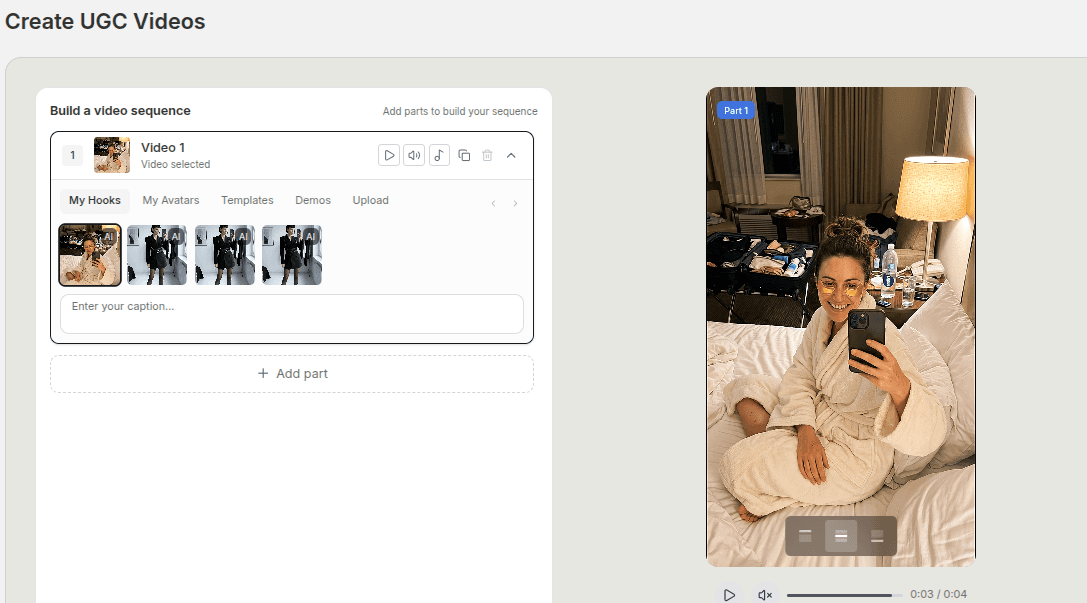
UGC means user-generated content. A generated character can appear in a creator-style ad, but it cannot provide a genuine testimonial. Start with the evidence the message needs, then select the presenter.
When an AI Avatar Fits
An avatar can illustrate a product-use context, introduce a feature, or provide a recurring visual character. It can also help create variations when the factual message remains stable.
Review identity, product shape, hands, and framing. Do not assume the same character will remain perfect across every generation. The product prompt templates show how to specify the avatar's job.
When a Real Creator Fits
Choose a creator when you need an actual person to try the product, describe their own experience, or demonstrate physical behavior.
The creator's audience may also be part of the value. Buying an exported file and buying distribution to an established audience are different services. Make deliverables and usage permissions explicit in the agreement.
Match the Format to the Claim
For a software feature, a real screen recording can establish what the feature does. An avatar may introduce that demonstration without claiming personal use.
For a physical product, real footage can show a mechanism or material. A generated lifestyle scene may support the context, but it does not prove performance.
For a testimonial, obtain actual permissioned experience. Do not substitute a generated face for a customer while presenting the statement as genuine.
Compare Revision Work
An AI workflow may let you explore new scenes without another shoot. It may also create errors that require repeated attempts. A creator workflow may include revisions or require another recording.
Count total production time and approved assets. Our AI UGC cost guide explains how to compare costs using visible assumptions rather than generation price alone.
Use Both When Their Roles Are Clear
One campaign could use a real creator demonstration, a product-only image, and an avatar-led feature explanation. Keep the factual message consistent and distinguish the type of evidence in each asset.
Do not describe the avatar as the person who performed the real test. Store the original footage and permission records with the campaign so later edits preserve the context.
A Decision Checklist
- Does the message require real personal experience?
- Does the viewer need to see a physical function?
- Is audience distribution part of the brief?
- Do you need a repeatable illustrative character?
- How much review and correction can the team support?
If the first three are central, a real creator or actual footage is likely necessary. If the task is an illustration or factual explanation, an avatar can be one production option.
Test Against the Same Objective
Compare content around one audience problem and intended action. Track production effort separately from campaign results. Neither a cheaper asset nor a more realistic presenter guarantees better marketing.
For image-led formats, read TikTok slideshows vs UGC videos.
FAQ
Can AI avatars replace creators completely?
They can replace some production tasks. They cannot supply real personal experience, physical testing, or an existing creator-audience relationship.
Which format performs better?
This guide does not establish a universal result. Test the same objective with your audience and compare useful outcomes as well as production cost.
Frequently Asked Questions
Can AI avatars replace creators completely?
They can replace some production tasks. They cannot supply real personal experience, physical testing, or an existing creator-audience relationship.
Which format performs better?
This guide does not establish a universal result. Test the same objective with your audience and compare useful outcomes as well as production cost.
Sources
Related tools
If you want to turn this topic into something usable right now, start with these tools.
UGC Script Generator
Build UGC-style script outlines for testimonials, demos, and problem-solution videos.
TikTok Hook Generator
Generate TikTok hook ideas for product demos, lessons, and founder-led content.
TikTok Caption Generator
Create short TikTok captions for demos, lessons, proof posts, and quick takes.
Content Angle Generator
Generate content angles you can turn into hooks, captions, slideshows, or scripts.
Related reading
- How to Create AI Avatars for Ads Without Hiring Models
Better AI avatar ads come from stronger role definition, better references, and saving the characters that actually fit the brand.
- TikTok Slideshows vs UGC Videos: Choose by the Task
Choose a TikTok slideshow when the viewer needs to read a sequence of ideas. Choose a UGC-style video when movement, spoken explanation, or a real demonstration carries the message.
- 7 GPT Image 2.5 Editing Mistakes and Their Fixes
GPT Image 2.5 reference edits can change details you wanted to keep. A useful edit brief names both the requested change and the protected parts of the image.
Related comparisons
- Best AI UGC Video Tools for Short-Form Content
A buying guide to AI UGC video tools, with ReelsFarm positioned for complete short-form content workflows.
- Best TikTok Automation Tools for Content Teams
A guide to TikTok automation tools for teams that need content creation, scheduling, publishing, and creative control.
- Best AI Slideshow Makers for TikTok
A guide to AI slideshow makers for TikTok, with ReelsFarm positioned for repeatable slideshow automation.
- Best AI UGC Tools for Ecommerce Brands
A source-checked guide to six AI UGC tools for ecommerce product content and publishing workflows.
Drive traffic to what matters on autopilot.
Create standout posts, line up your calendar, and publish consistently without juggling a dozen tools.