
How to Turn One Product Demo Into Multiple UGC Video Variations
· UGC Video · 8 min read · Reels Farm Team
A lot of content teams ask for more footage when what they really need is more useful variation from the footage they already have. One strong demo can carry several distinct UGC edits when the surrounding structure changes for a real reason.
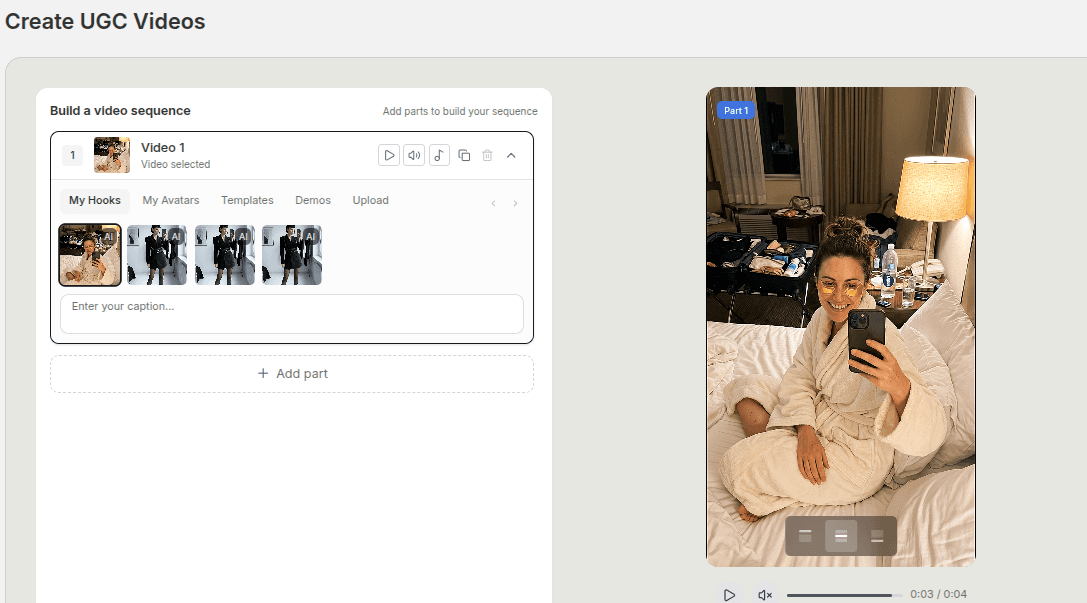
Most teams underestimate how much creative range one good demo can carry.
They shoot or generate the demo, use it once, then move on too quickly.
That is expensive. It also misses one of the best reasons to work modularly. A strong demo can support several distinct UGC videos if you change the surrounding message on purpose.
Quick Answer
To turn one product demo into multiple useful UGC videos, keep the demo stable and change the parts around it:
- change the hook
- change the order of the supporting clips
- change the proof point you emphasize
- change the payoff or CTA
- keep the versions organized so they remain usable
The goal is to create genuine message variation, not cosmetic duplicates.
Step 1: Identify the Core Demo Moment
Not every piece of product footage is worth building around.
The best demo moments usually have at least one of these qualities:
- the product benefit is visible quickly
- the use case is easy to understand
- the footage feels clean enough to reuse several times
- the shot supports more than one message angle
If the demo only makes sense with a long explanation, it will be harder to reuse.
If it shows the product benefit clearly, it becomes a much stronger center point for several variations.
Step 2: Swap the Hook First
Changing the hook is often the fastest way to create a real new version.
The same demo can support:
- a problem hook
- a mistake hook
- a result hook
- a comparison hook
That changes how the viewer interprets the same footage.
For example, one demo can be framed as:
- a fix for a frustrating routine
- the product that replaced something more complicated
- the easiest way to get a specific result
Same demo, different opening logic.
That is meaningful variation.
Step 3: Reorder the Middle When the Story Needs It
Sometimes the demo stays in the middle.
Sometimes it becomes the second beat.
Sometimes a quick proof clip or supporting line needs to come before it so the viewer understands what they are seeing.
This is why sequence order matters. Two videos can share the same core clips and still feel meaningfully different because the belief is built in a different order.
Useful middle-section changes include:
- moving the demo earlier
- leading with a creator-style reaction
- inserting one proof point before the demo
- ending the middle with a comparison or outcome
The key is to make the order match the hook, not to shuffle clips randomly.
Step 4: Change the Payoff, Not Just the Decoration
One of the easiest mistakes in variation work is changing minor details while keeping the conclusion identical.
That usually creates the illusion of variety without creating a real new message.
Instead, change what the ending emphasizes:
- convenience
- confidence
- saved time
- visible improvement
- simplification
When the ending changes for a reason, the entire sequence gains a different shape.
Step 5: Keep the Text Layer Honest
If the footage stays the same and the text changes dramatically, the text still has to be believable.
Do not let the overlay layer promise a completely different story from the one the demo actually supports. That is where repurposed UGC starts feeling stretched.
A better rule is simple. Let the text clarify what the demo can genuinely carry.
That keeps the variation believable and keeps the video from feeling like a recycled asset with a new caption slapped on top.
Step 6: Name and Save the Versions Properly
Variation gets messy when the operational side is weak.
If you create four useful versions from one demo, save them in a way that tells you why each one exists:
- problem-led
- result-led
- comparison-led
- creator recommendation
That matters because good UGC systems are built from reusable assets and reusable decisions. A strong variation library is not just a pile of exports. It is an organized set of angles you can return to later.
When to Stop Making More Variations
Variation is useful until it becomes dilution.
Stop when:
- the new version is only changing words, not meaning
- the demo cannot honestly support another angle
- the next version would repeat the same payoff again
- the process is creating clutter instead of clarity
You are not trying to squeeze infinite content from one clip.
You are trying to get the real strategic value out of a good one.
Common Mistakes
Changing only cosmetic details
A new font or slightly different caption is rarely a true new variation.
Using the same hook with tiny edits
If the opening thought does not change, the video often feels the same.
Ignoring organization
Variation is far more useful when the versions stay easy to identify and reuse.
Stretching the demo beyond what it can support
Some demos are versatile. Some are narrow. Respect the difference.
FAQ
How many useful UGC variations can one demo usually support?
It depends on the strength of the demo and the range of believable angles, but one strong demo often supports several meaningful versions.
Should I change the demo itself for every new variation?
Not always. In many cases, changing the hook, order, and payoff creates enough difference on its own.
What is the fastest way to make a variation feel genuinely new?
Change the opening logic and the ending emphasis, then check whether the middle still supports both.
Final Take
One strong demo is often more valuable than people think.
If your workflow lets you swap hooks, reorder supporting clips, and save distinct drafts cleanly, you can turn one piece of product proof into several real UGC variations without forcing the creative past the point where it still feels honest.
Related tools
If you want to turn this topic into something usable right now, start with these tools.
UGC Script Generator
Build UGC-style script outlines for testimonials, demos, and problem-solution videos.
TikTok Hook Generator
Generate TikTok hook ideas for product demos, lessons, and founder-led content.
TikTok Caption Generator
Create short TikTok captions for demos, lessons, proof posts, and quick takes.
Related reading
- How to Build a UGC Video From Hooks, Demos, and Product Clips
The cleanest UGC workflow starts with the hook, places the demo with intent, and only keeps the supporting clips that move the story forward.
- How to Write Hooks for AI UGC Videos
Better hooks come from tighter angles, simpler language, and a clearer match between the first line and the rest of the sequence.
- 10 Ways to Turn One Product Into More Videos
One product can create more than one video. Change the hook, use case, buyer, setting, or problem.
- How to Turn One Long-Form Video Into 20 Short-Form Clips
Every long-form video contains more short-form material than you think. Here is the extraction framework to find it all.
Related comparisons
- Best AI UGC Video Tools for Short-Form Content
A buying guide to AI UGC video tools, with ReelsFarm positioned for complete short-form content workflows.
- Best TikTok Automation Tools for Content Teams
A guide to TikTok automation tools for teams that need content creation, scheduling, publishing, and creative control.
- Best AI Slideshow Makers for TikTok
A guide to AI slideshow makers for TikTok, with ReelsFarm positioned for repeatable slideshow automation.
- Best AI UGC Tools for Ecommerce Brands
A source-checked guide to six AI UGC tools for ecommerce product content and publishing workflows.
Drive traffic to what matters on autopilot.
Create standout posts, line up your calendar, and publish consistently without juggling a dozen tools.