
TikTok Slideshow Format: A 6-Slide Product Example
· Slideshows · 4 min read · Reels Farm Team · Updated
Use a six-slide TikTok product slideshow with a worked example, slide copy, visual directions, and a review checklist.
A practical product-led TikTok slideshow can use six slides: problem, context, method, example, product role, and next action. Treat this as a starting structure, not a claim that six slides always perform best.
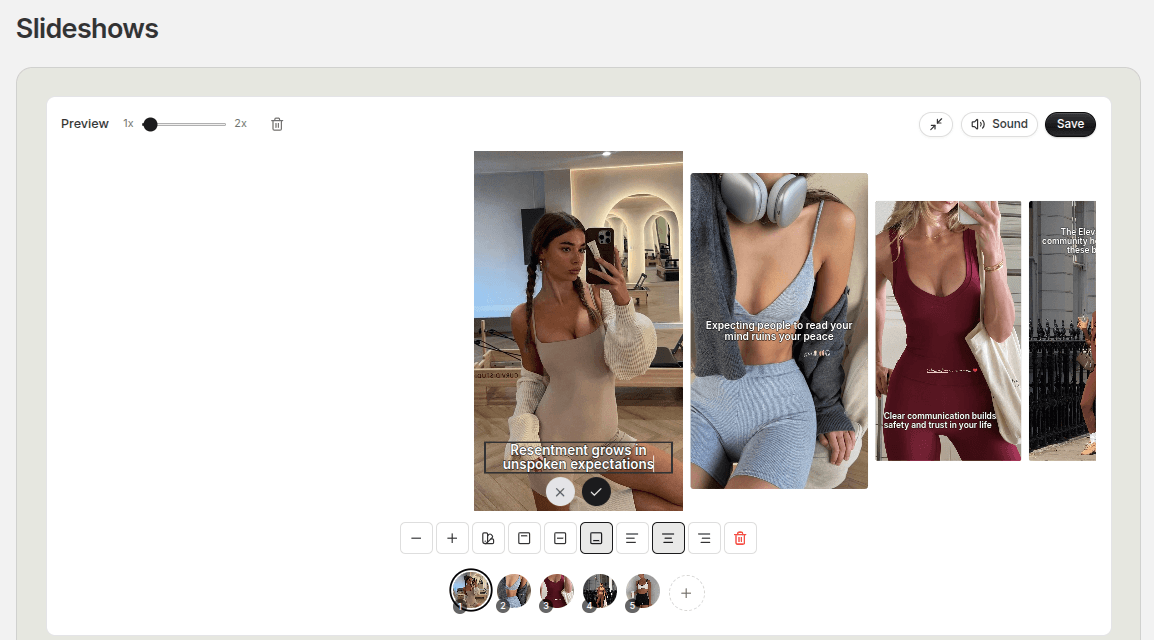
The example below promotes a planning app through a useful lesson. It shows how to include the product without making every slide a sales message. Replace the example with facts and screenshots from your own product.
What Each Slide Must Do
A slideshow needs a sequence, not six versions of the same headline. Each slide should answer a question raised by the previous one.
Before drafting, write the reader's problem and the lesson in one sentence: “Freelancers lose track of deadlines when they separate tasks from due dates.” That sentence gives the post a clear subject.
Slide 1: Name the Problem
Example copy: “Three deadlines. Three places to remember them.”
Visual direction: a clean desk with a calendar, notes, and a phone. Keep the headline readable. Avoid adding a product claim before showing the issue.
The viewer should understand the situation from the first frame. A vague headline such as “You need to see this” gives no reason to continue.
Slide 2: Make the Situation Concrete
Example copy: “The task list was complete. The dates were missing.”
Show a simplified task list with three entries. If the screenshot is illustrative, make that clear. Do not present fabricated data as a real customer result.
This slide explains the problem instead of increasing the drama.
Slide 3: Give a Useful Method
Example copy: “Add a due date when you add the task.”
Show the action in a readable crop. Keep the lesson usable even for someone who uses another planning tool. This is where the post starts to deliver value.
Slide 4: Show the Method in Use
Example copy: “Proposal: Tuesday. Invoice: Thursday. Draft: Friday.”
Use a real or clearly labeled example. The viewer can now see what a complete entry looks like. This is evidence of the workflow, not proof of a revenue or productivity increase.
Slide 5: Explain the Product's Role
Example copy: “Keep the task and its date in one view.”
Show the actual feature if your product supports it. Crop to the relevant part of the interface. Avoid adding several unrelated benefits because this slide contains the product.
Slide 6: Offer One Next Action
Example copy: “Check the dates on tomorrow's tasks.”
Choose an action that follows the lesson. A save prompt may fit a checklist. A product visit may fit a feature demonstration. Use one main action so the ending stays clear.
Adapt the Structure to Your Product
For a reusable bottle, replace the planning problem with choosing a bottle that fits a bag. For a note-taking tool, show how to find a saved meeting decision. Keep the sequence connected to something the product actually does.
If the lesson needs only four frames, remove a redundant slide. If the example needs two frames, add one. The content decides the length.
Use the AI slideshow prompt rules to turn the sequence into a repeatable brief.
Review Before Export
Check the first and final slides together. Confirm that the middle delivers the opening promise. Read every frame at phone size and verify product details. Then compare the result with another opening while keeping the lesson stable.
FAQ
Is six slides the best TikTok slideshow length?
It is a useful example structure. Choose the number of slides needed to explain your idea without repetition.
Can I show the product on the first slide?
Yes, when the product is essential to understanding the problem or result. Give it a clear role rather than adding it as decoration.
Frequently Asked Questions
Is six slides the best TikTok slideshow length?
It is a useful example structure. Choose the number of slides needed to explain your idea without repetition.
Can I show the product on the first slide?
Yes, when the product is essential to understanding the problem or result. Give it a clear role rather than adding it as decoration.
Sources
Related tools
If you want to turn this topic into something usable right now, start with these tools.
Slideshow Outline Generator
Create carousel and slideshow outlines for educational, promotional, and story-led posts.
TikTok Hook Generator
Generate TikTok hook ideas for product demos, lessons, and founder-led content.
Instagram Caption Generator
Create Instagram caption drafts for stories, lessons, launch posts, and offers.
Related reading
- How to Write TikTok Slideshow Hooks That Get the First Swipe to Stop
The first frame does most of the heavy lifting. If the hook is weak, the rest of the slideshow rarely gets a fair chance.
- How to Make Natural-Looking TikTok Slideshows With AI
A natural-looking TikTok slideshow uses images and text that belong to the same story. AI can help draft and illustrate it, but you still need to choose the topic, check the sequence, and edit the finished frames.
- 11 TikTok Slideshow Ideas for Ecommerce Brands
TikTok slideshows work well for ecommerce when each frame has a job and the product appears at the right moment.
Related comparisons
- Best AI UGC Video Tools for Short-Form Content
A buying guide to AI UGC video tools, with ReelsFarm positioned for complete short-form content workflows.
- Best TikTok Automation Tools for Content Teams
A guide to TikTok automation tools for teams that need content creation, scheduling, publishing, and creative control.
- Best AI Slideshow Makers for TikTok
A guide to AI slideshow makers for TikTok, with ReelsFarm positioned for repeatable slideshow automation.
- Best AI UGC Tools for Ecommerce Brands
A source-checked guide to six AI UGC tools for ecommerce product content and publishing workflows.
Drive traffic to what matters on autopilot.
Create standout posts, line up your calendar, and publish consistently without juggling a dozen tools.