

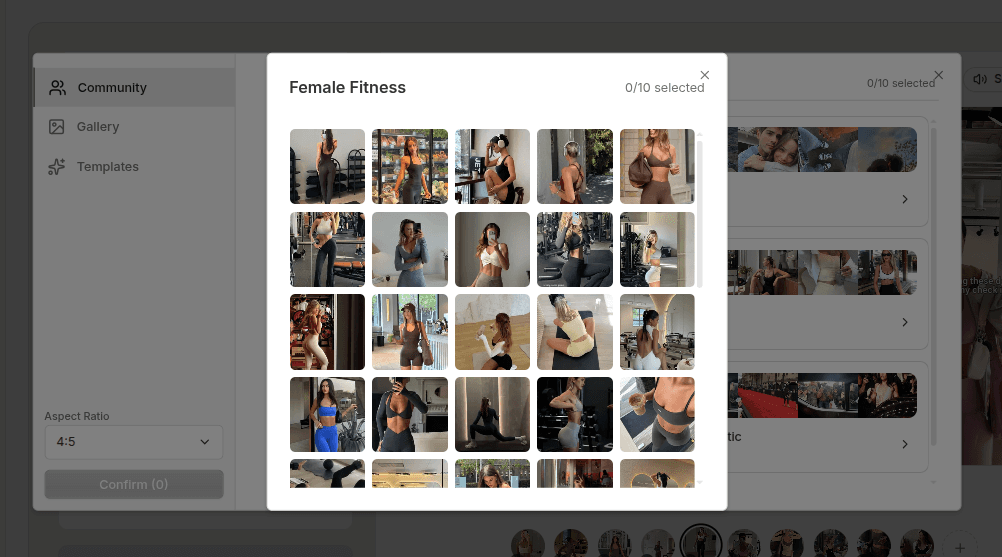
Most AI-generated slideshow images fail for the same reason.
They look like they were generated in isolation, with no larger visual logic behind them. Each image is trying to look polished on its own, but the set does not feel like one post.
This guide covers the image assets for a TikTok photo slideshow. It focuses on visual direction, prompt references, and choosing a consistent set. Start with these TikTok slideshow ideas for marketing apps if you still need a post concept. TikTok describes Photo Mode as a carousel format for still images; check the current app options before publishing.
Quick Answer
If you want better TikTok slideshow images with AI, use this order:
- decide the visual direction before you prompt
- generate a small set first
- build variations around what is already working
- choose images based on readability, not just novelty
That approach produces stronger sets and wastes less time.
Step 1: Decide the Visual Direction Before You Prompt
The prompt matters, but the decision before the prompt matters more.
You should know what kind of set you are trying to make:
- dark and minimal
- product-led and clean
- lifestyle and aspirational
- editorial and text-friendly
Without that direction, the prompt becomes vague and the results drift quickly.
This is also where product context helps. If the slideshow is tied to a product, a use case, or a customer pain point, the visuals should reflect that instead of feeling disconnected from the angle.
Step 2: Generate a Small Set First
Do not try to generate the whole slideshow image pack in one pass.
Start with a small batch and test the direction. That first batch is where you learn whether the style, framing, lighting, and contrast are actually useful for the post you want to build.
This is a better use of time because it gives you room to adjust before you have ten images that all miss the point in the same way.
Step 3: Build Variations Around What Already Works
Once you get a strong starting point, then it makes sense to generate variations.
The goal is not to create random alternatives. The goal is to keep the set coherent while changing enough of the framing or detail that each slide still feels distinct.
Useful variation levers include:
- lighting
- crop and composition
- mood
- product placement
- supporting visual details
That is how the set starts feeling like one sequence instead of a pile of unrelated outputs.
Step 4: Choose Images Based on Readability
An image can look impressive and still be wrong for a slideshow.
For TikTok slideshows, the image needs to support text, pacing, and clarity. That often means choosing the frame with the better negative space or the stronger contrast rather than the frame that looks most elaborate.
A good slideshow image does its job well inside the sequence.
That matters more than looking perfect in isolation.
Common Mistakes
Using generic prompts
Generic prompts lead to generic-looking image sets.
Generating too much too early
If the first direction is wrong, a larger batch only creates more cleanup work.
Choosing images for novelty instead of function
The best image for the post is often the one that makes the slide easier to read.
Ignoring sequence consistency
A slideshow feels stronger when the images belong together visually.
FAQ
How many images should I generate first?
A small batch is usually enough to test the direction. Three to five strong candidates is often better than a huge first dump.
Should every slide have a different style?
Usually no. Cohesion helps the slideshow feel more intentional.
Can I mix generated images with existing assets?
Yes. In many cases, that gives you a stronger result than forcing everything to come from the same source.
Does an AI TikTok slide generator create the full post?
Image generation creates candidate frames. You still need to choose their order, add any text or audio, and publish the finished post. Review the complete sequence on a phone-sized screen before posting.
Final Take
Creating TikTok slideshow images with AI works best when the process is controlled.
Clear direction, smaller batches, coherent variations, and readability-focused selection produce better results than chasing volume. That is what helps the visuals feel useful inside the slideshow instead of just technically generated.
Sources
Related tools
If you want to turn this topic into something usable right now, start with these tools.
Slideshow Outline Generator
Create carousel and slideshow outlines for educational, promotional, and story-led posts.
TikTok Hook Generator
Generate TikTok hook ideas for product demos, lessons, and founder-led content.
Instagram Caption Generator
Create Instagram caption drafts for stories, lessons, launch posts, and offers.
Related reading
- How to Make Natural-Looking TikTok Slideshows With AI
A natural-looking TikTok slideshow uses images and text that belong to the same story. AI can help draft and illustrate it, but you still need to choose the topic, check the sequence, and edit the finished frames.
- TikTok Slideshow Format: A 6-Slide Product Example
A practical product-led TikTok slideshow can use six slides: problem, context, method, example, product role, and next action. Treat this as a starting structure, not a claim that six slides always perform best.
- 11 TikTok Slideshow Ideas for Marketing Apps
Use these 11 slideshow structures to explain an app problem, workflow, feature, or result without recording a full product demo.
Related comparisons
- Best AI UGC Video Tools for Short-Form Content
A buying guide to AI UGC video tools, with ReelsFarm positioned for complete short-form content workflows.
- Best TikTok Automation Tools for Content Teams
A guide to TikTok automation tools for teams that need content creation, scheduling, publishing, and creative control.
- Best AI Slideshow Makers for TikTok
A guide to AI slideshow makers for TikTok, with ReelsFarm positioned for repeatable slideshow automation.
- Best AI UGC Tools for Ecommerce Brands
A source-checked guide to six AI UGC tools for ecommerce product content and publishing workflows.
Drive traffic to what matters on autopilot.
Create standout posts, line up your calendar, and publish consistently without juggling a dozen tools.