
Text Message Slideshow Template (iMessage Style)
A text conversation that grows slide by slide, drawn like a real iPhone screenshot. Viewers swipe to see the next message, which is why chat stories hold attention.
Examples
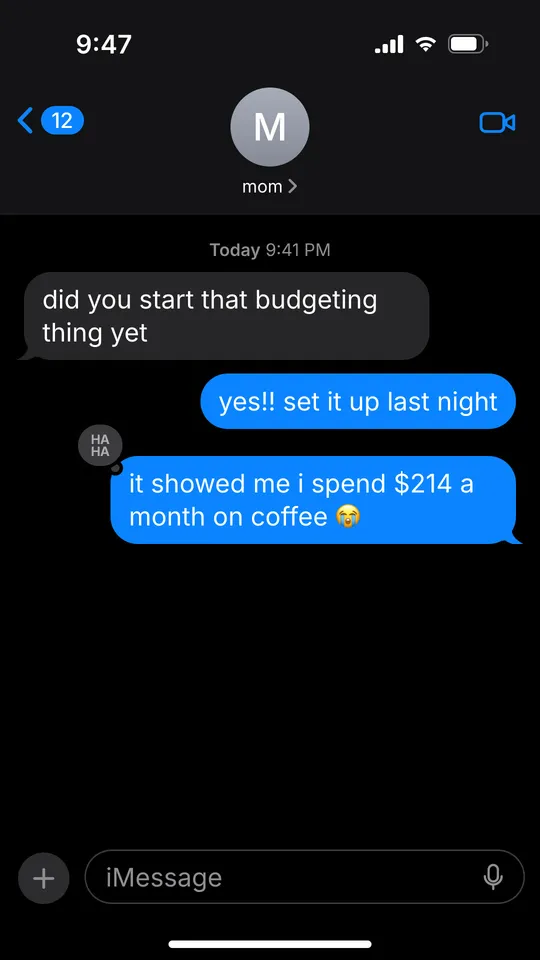
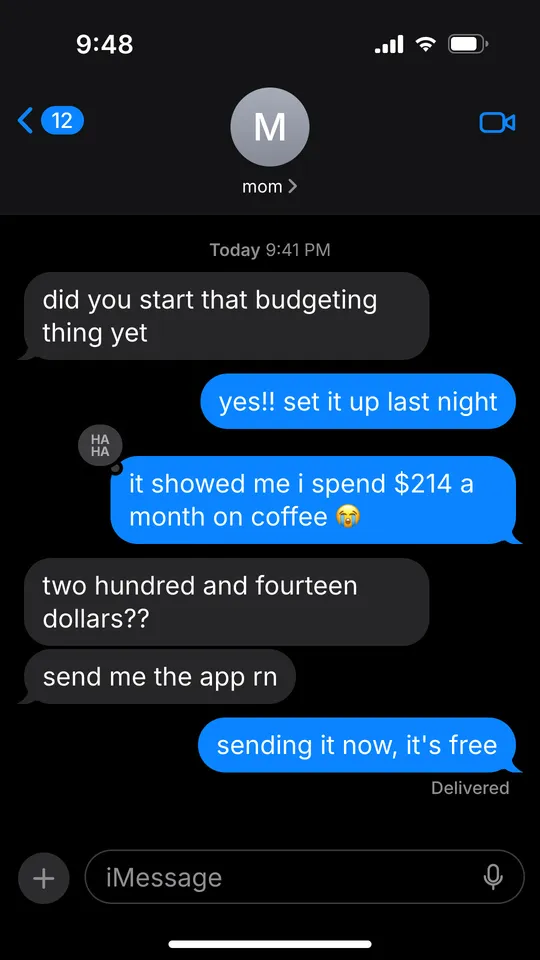
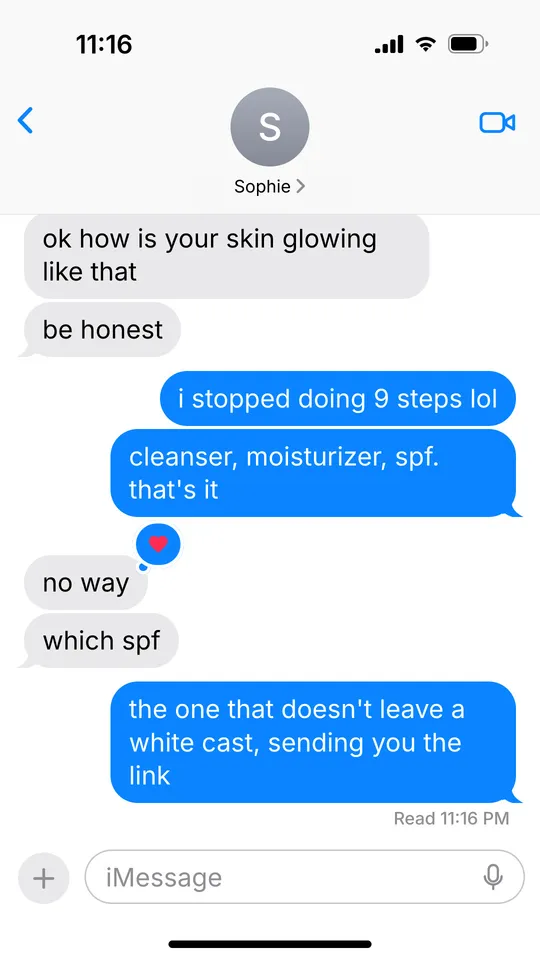
Example slides made with ReelsFarm. The iMessage look needs no photos.
Why text message slideshows work
A chat reads like something private. Every swipe shows one more message, so the viewer keeps going to see how it ends.
It also fits a product without feeling like an ad. A friend asking which app you use is the post.
What the template includes
- Grey bubbles on the left for the other person, blue bubbles on the right for you.
- A contact name and initial at the top, and the status bar clock.
- Tapbacks such as a heart or ha ha on a bubble, and time stamps above a message.
- Delivered or Read under your last message, and dark or light mode.
- No photos needed. The whole slide is the chat screen.
How to write the conversation
- Open with a question or a reaction, not a greeting.
- Keep messages short, the way people text. Lowercase is fine.
- Put the reveal on the last slide: the answer, the punchline or the product.
- Use contacts like mom, my sister or a first name. Leave out real people's full names and numbers.
How to make it in ReelsFarm
- Select “Make a text message slideshow”. Slideshows opens with the iMessage look picked.
- Choose the slide count. The iMessage look needs no photos.
- Write what the post is about in one or two sentences, and pick a product if the post is for one.
- Generate. ReelsFarm writes every slide and draws it the way the export will look.
- Edit any word on a slide, then export the slides or schedule them to TikTok, Instagram and your other accounts.
Questions
- Do I need photos for a text message slideshow?
- No. The iMessage look draws the chat screen itself, so you only choose the slide count and describe the conversation.
- Can I edit the messages?
- Yes. After it generates, open a slide to change any message, who sent it, the contact name, tapbacks and the read status.
- Can I post it as a video?
- Yes. Export it as slides for a TikTok photo post, or as a video.
- Is it OK to make chats that look real?
- Use it for stories and skits, and don't present a made-up chat as a real one with a real person. Never put someone's real name or number in it without asking them.
More templates
- Tweet templateA tweet-style slide template: a post on X over your blurred photo, with a name, handle, counts and a reply. Made for hot takes and one-line advice on TikTok.
- Notebook templateA notebook slide template for TikTok: torn grid paper with a title, numbered points, a circled note and your photo taped on. Made for tips, rules and routines.
- TikTok fontsEvery font in TikTok's text editor, in the order the app lists them, with a free font that matches each one. Type your text and preview it in all 24.