
Tweet Template for TikTok and Instagram Slideshows
A post on X laid over your photo, with the name, handle, view count and a reply under it. It turns one strong opinion into a slide people stop on.
Examples
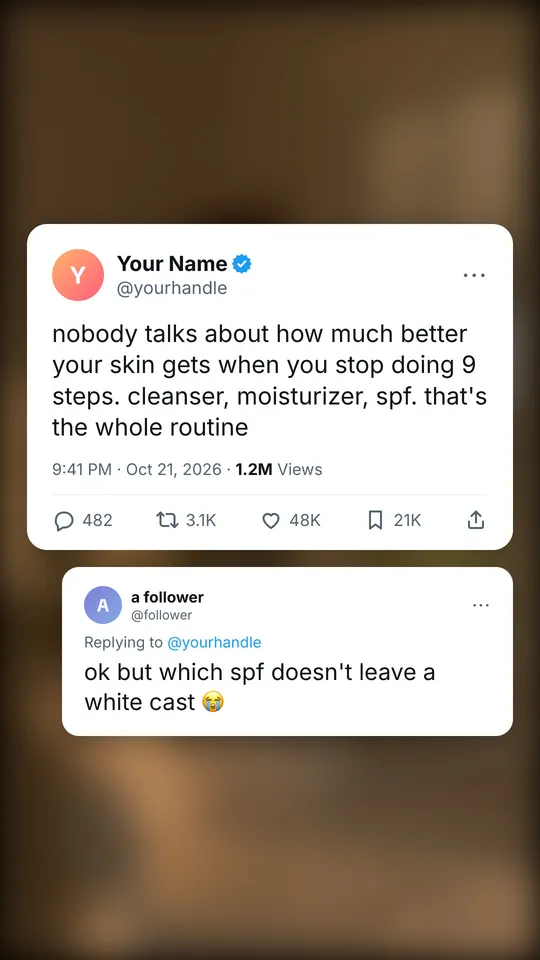
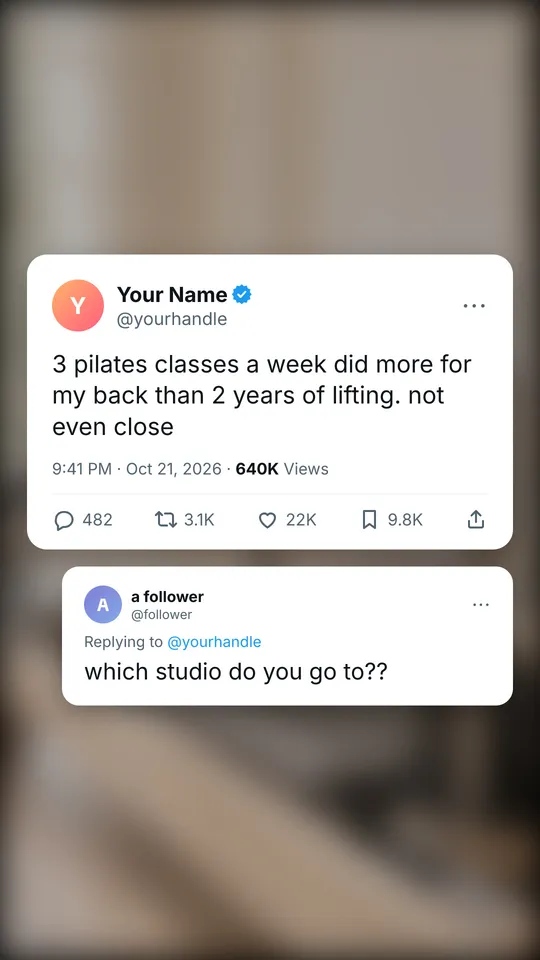
Example slides made with ReelsFarm. The photos come from the app's photo search.
When to use a tweet slide
- Hot takes: "3 pilates classes a week did more for my back than 2 years of lifting."
- One-line advice that people want to save or share.
- A question in the reply under the post, which sets up the next slide or your product.
What the template includes
- Your photo, blurred behind the post so the text stays readable.
- A profile with a name, handle and an optional verified check.
- The time, views, replies, reposts, likes and saves.
- An optional reply from a follower under the post.
How to write it
- Write like a person posting, not a brand: lowercase, short, one idea.
- Use the reply for the question your viewer has, like "ok but how?".
- Use your own name and handle, or a made-up one. Never copy a real person's account.
How to make it in ReelsFarm
- Select “Make a tweet slideshow”. Slideshows opens with the Tweet look picked.
- Choose the slide count and a photo for each slide. The photo sits blurred behind the post.
- Write what the post is about in one or two sentences, and pick a product if the post is for one.
- Generate. ReelsFarm writes every slide and draws it the way the export will look.
- Edit any word on a slide, then export the slides or schedule them to TikTok, Instagram and your other accounts.
Questions
- Does it look like a real tweet?
- It follows the layout of a post on X: profile, text, time, counts and replies. Use it for your own opinions and stories, not to fake posts by real people.
- Can I change the name and the numbers?
- Yes. Open a slide after it generates to edit the name, handle, text, every count and the reply.
- What photo should I use?
- Any photo that sets the mood. It is blurred behind the post, so its details don't matter.
More templates
- Text message templateAn iMessage-style text conversation template for TikTok slideshows. The chat grows one message per slide, with tapbacks, read receipts and dark or light mode.
- Magazine cover templateA magazine cover template for TikTok slideshows: your photo under a masthead, cover lines and a headline, followed by photo slides. Free examples inside.
- TikTok slideshow templateA TikTok photo slideshow template with TikTok's own fonts and text boxes. See the sizes, slide count and text styles that top slideshows use, then make yours.